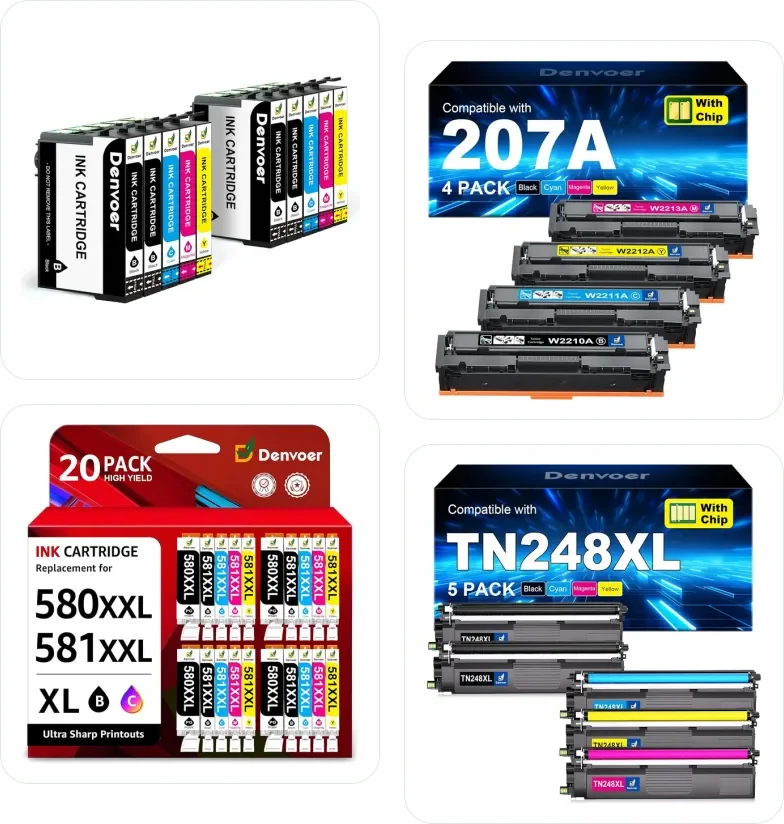
Compatible ink & toner

Denvoer Ink & Toner Cartridges for Epson, HP, Canon & Brother

XL and XXL multipacks, ink bottles and toner with chip, each made for a specific cartridge number. Type your printer model to see which Denvoer pack fits it.

Search by printer (e.g. XP-2200, TS3150 or MFC-J5340DW) or by cartridge number (e.g. 604XL).

Denvoer ink and toner multipacks for Epson, HP, Canon and Brother printers
11cartridge packs
196+printer models covered
4.5★average Amazon rating
1,600+Amazon ratings

What is Denvoer?

Denvoer makes compatible (non-original) ink cartridges, ink bottles and toner cartridges for popular Epson, HP, Canon and Brother printers. Each pack replaces one original cartridge number, such as Epson 405XL, HP 207A, Canon 580/581 or Brother TN248, and comes with a chip so the printer recognises it and shows ink or toner levels. Most packs are XL or XXL multipacks with spare black cartridges. This guide lists the Denvoer packs sold on Amazon in your country, sorted by printer brand, with the printer models each one fits.

What you get with a Denvoer pack

Chip on every cartridge

Ink cartridges and toners come with a chip fitted, so the printer reads the fill level. There is no need to move chips from your old cartridges.

XL page yields

XL and XXL fills for fewer cartridge changes, for example 27XL: 2,200 pages per black, 31 / 32XL: 9,500 pages per black, PGI-580XXL / CLI-581XXL: 6,300 pages per black, LC422XL: 3,000 pages per black.

Spare blacks in the box

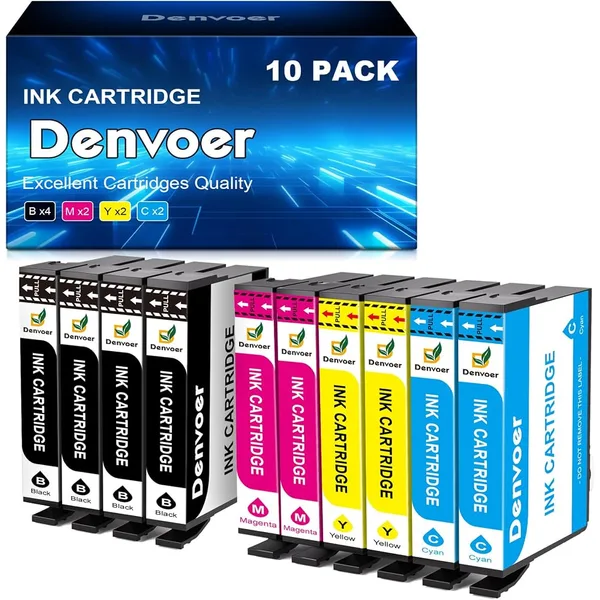
Multipacks carry extra black cartridges, which usually run out first: for example 4 black + 6 colour in the 10-packs and 6 + 9 in the 15-packs.

Sealed and padded

Each cartridge is sealed in its own bag with a protective clip or tape, and toners ship in padded boxes to prevent leaks in transit.

Find the cartridge for your printer

Start with your printer brand, or type the model number from the front of the printer (for example XP-2200, TS3150 or MFC-J5340DW).

Denvoer Cartridges for Epson Printers

Compatible Epson ink for Expression Home, WorkForce and Stylus printers: 27XL, 405XL, T1295, 604XL. The printer may call them non-genuine when you insert them; confirm with OK or Next and it prints as usual.

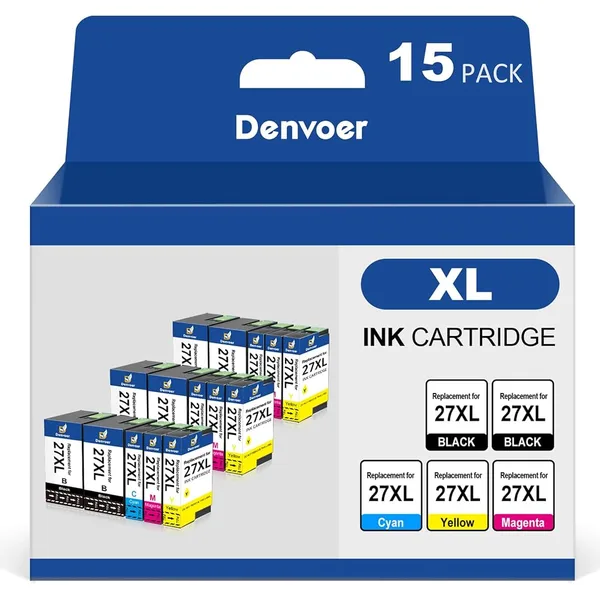
Denvoer 27XL Ink Cartridges
For Epson15-pack

Denvoer 27XL Ink Cartridges

4.5463 ratings
In the box
  • 6× Black
  • 3× Cyan
  • 3× Magenta
  • 3× Yellow
Page yield (5% coverage)
  • Black: 2,200 pages
  • Colour: 1,050 pages each
Fits 8 printer models

WorkForce WF-3640DTWF, WF-7110DTW, WF-7210DTW, WF-7610DWF, WF-7620DTWF, WF-7710DWF, WF-7715DWF, WF-7720DTWF
Learn More →
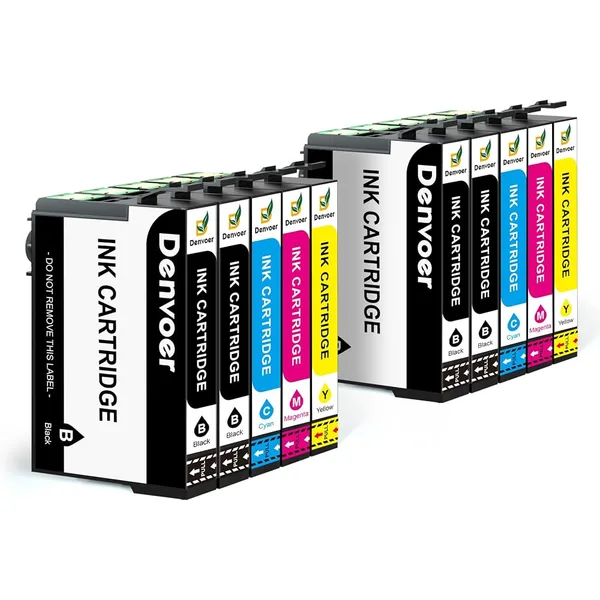
Denvoer 405XL Ink Cartridges
For Epson10-pack

Denvoer 405XL Ink Cartridges

4.2344 ratings
In the box
  • 4× Black
  • 2× Cyan
  • 2× Magenta
  • 2× Yellow
Page yield (5% coverage)
  • Black: 1,100 pages
  • Colour: 1,100 pages each
Fits 9 printer models

WorkForce WF-3820DWF, WF-3825DWF, WF-4820DWF, WF-4825DWF, WF-4830DTWF, WF-7310DTW, WF-7830DTWF, WF-7835DTWF, WF-7840DTWF

The printer may show a 'non-genuine cartridge' message. Press OK, Yes or Next to keep printing.

Learn More →
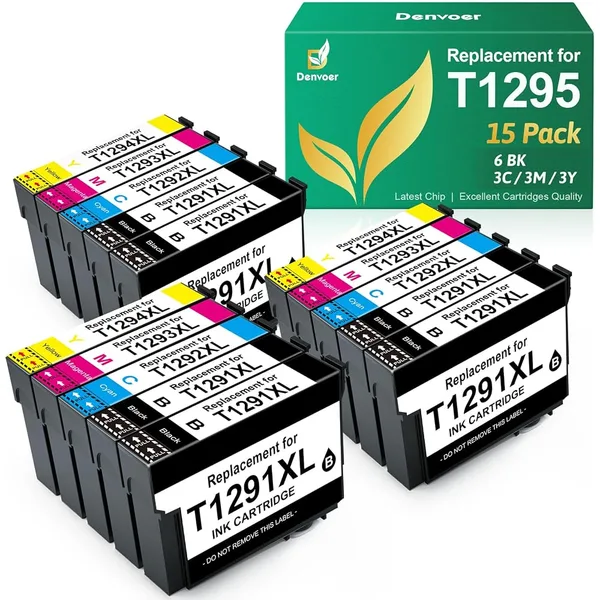
Denvoer T1295 Ink Cartridges
For Epson15-pack

Denvoer T1295 Ink Cartridges

4.5213 ratings
In the box
  • 6× Black
  • 3× Cyan
  • 3× Magenta
  • 3× Yellow
Page yield (5% coverage)
  • Black: 600 pages
  • Colour: 400 pages each
Fits 16 printer models

WorkForce WF-3520DWF

Stylus SX235W, SX420W, SX425W, SX435W, SX438W, SX445W, SX525WD, SX535WD, SX620FW

Stylus Office BX305F, BX305FW, BX305FW Plus, BX320FW, BX525WD, BX535WD

Learn More →
Denvoer 604XL Ink Cartridges
For Epson10-pack

Denvoer 604XL Ink Cartridges

4.324 ratings
In the box
  • 4× Black
  • 2× Cyan
  • 2× Magenta
  • 2× Yellow
Page yield (5% coverage)
  • Black: 600 pages
  • Colour: 400 pages each
Fits 10 printer models

Expression Home XP-2200, XP-2205, XP-3200, XP-3205, XP-4200, XP-4205

WorkForce WF-2910DWF, WF-2930DWF, WF-2935DWF, WF-2950DWF

The printer may show a 'non-genuine cartridge' message. Press OK, Yes or Next to keep printing.

Learn More →

Denvoer Ink & Toner for HP Printers

Compatible HP ink and toner: 31 / 32XL, 207A / 207X, 117A. Each card lists the exact HP printer models it fits, from Smart Tank and ENVY to Color LaserJet.

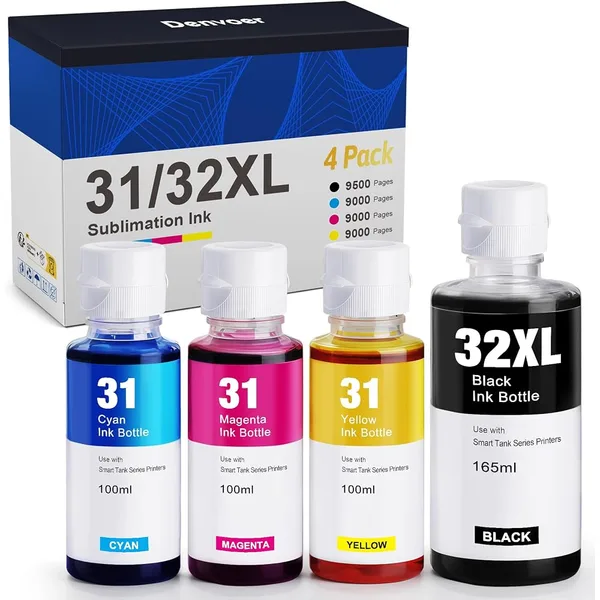
Denvoer 31 / 32XL Ink Bottles
For HP4-pack

Denvoer 31 / 32XL Ink Bottles

4.995 ratings
In the box
  • 1× Black (165 ml)
  • 1× Cyan (100 ml)
  • 1× Magenta (100 ml)
  • 1× Yellow (100 ml)
Page yield (5% coverage)
  • Black: 9,500 pages
  • Colour: 9,000 pages each
Fits 51 printer models

Smart Tank 5101, 5105, 5106, 5107, 5108, 6001, 6005, 6006, 7000, 7001, 7002, 7005, 7006, 7300, 7301, 7305, 7306, 7600, 7602, 7605, 7606

Smart Tank Plus 419, 455, 502, 510, 513, 514, 515, 516, 517, 519, 520, 530, 532, 533, 534, 536, 539, 551, 555, 615, 617, 651, 655, 670, 675, 720, 725, 750, 755, 790

Learn More →
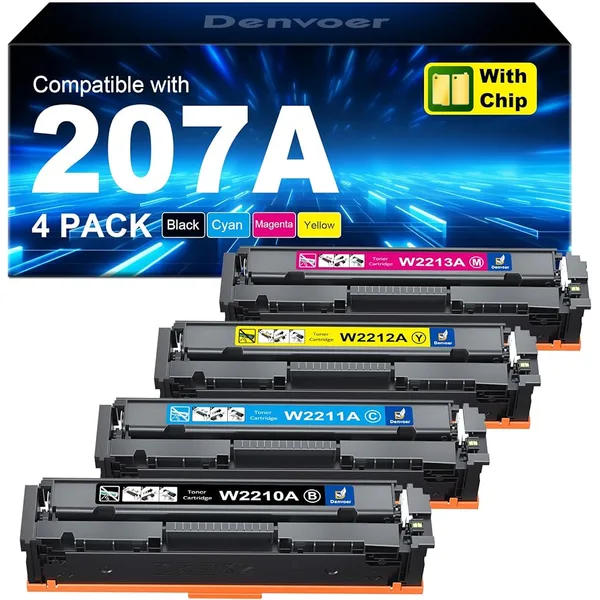
Denvoer 207A / 207X Toner Cartridges
For HP4-packWith chip

Denvoer 207A / 207X Toner Cartridges

4.652 ratings
In the box
  • 1× Black
  • 1× Cyan
  • 1× Magenta
  • 1× Yellow
Page yield (5% coverage)
  • Black: 1,350 pages
  • Colour: 1,250 pages each
Fits 6 printer models

Color LaserJet Pro MFP M282nw, M283cdw, M283fdn, M283fdw

Color LaserJet Pro M255dw, M255nw

The recycled chip can trigger 'Cartridge low'. Choose Snooze and 2 months to hide it.

Learn More →
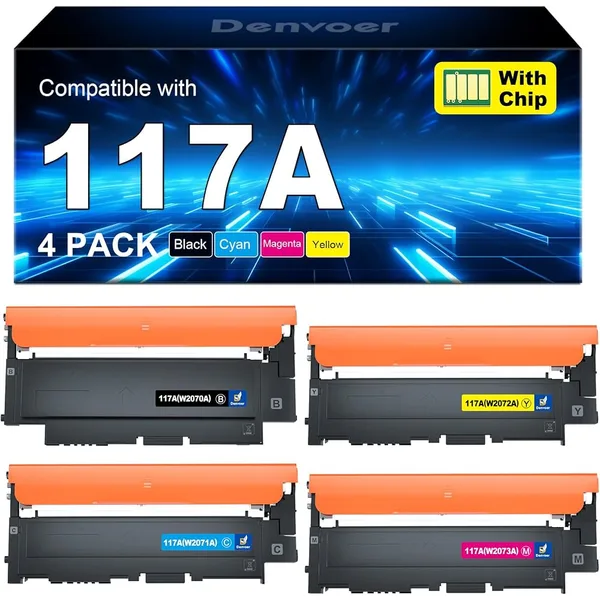
Denvoer 117A Toner Cartridges
For HP4-packWith chip

Denvoer 117A Toner Cartridges

In the box
  • 1× Black
  • 1× Cyan
  • 1× Magenta
  • 1× Yellow
Page yield (5% coverage)
  • Black: 1,000 pages
  • Colour: 700 pages each
Fits 6 printer models

Color Laser MFP 150a, 150nw, 178nw, 178nwg, 179fnw, 179fwg

Learn More →

Denvoer Cartridges for Canon PIXMA Printers

Compatible Canon PIXMA ink: PG-545XL, PGI-580XXL / CLI-581XXL. The 580/581 packs include the large PGBK pigment black for text and the CLI dye black for photos.

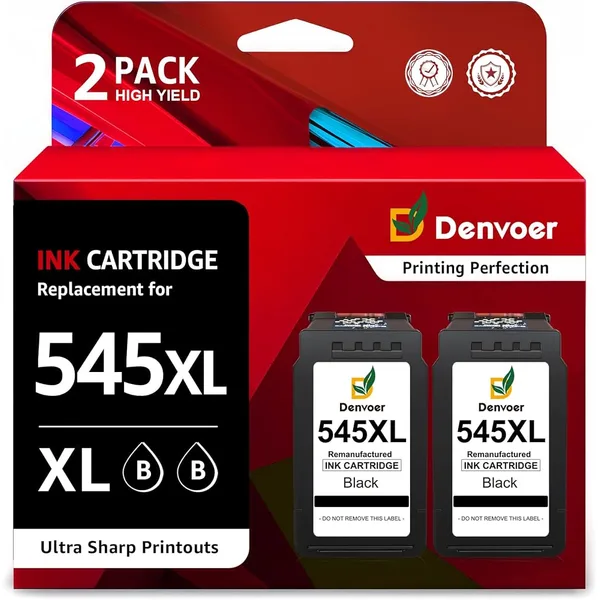
Denvoer PG-545XL Ink Cartridges
For Canon2-pack

Denvoer PG-545XL Ink Cartridges

4.5279 ratings
In the box
  • 2× Black
Page yield (5% coverage)
  • Black: 400 pages
Fits 38 printer models

PIXMA iP2800, iP2840, iP2850, iP2855, MG2400, MG2450, MG2455, MG2500, MG2550, MG2550S, MG2555, MG2555S, MG2900, MG2920, MG2950, MG2950S, MG2955, MG3050, MG3051, MG3052, MG3053, MX490, MX495, TR4550, TR4551, TR4650, TR4651, TS205, TS305, TS3150, TS3151, TS3350, TS3351, TS3352, TS3355, TS3450, TS3451, TS3452

Learn More →
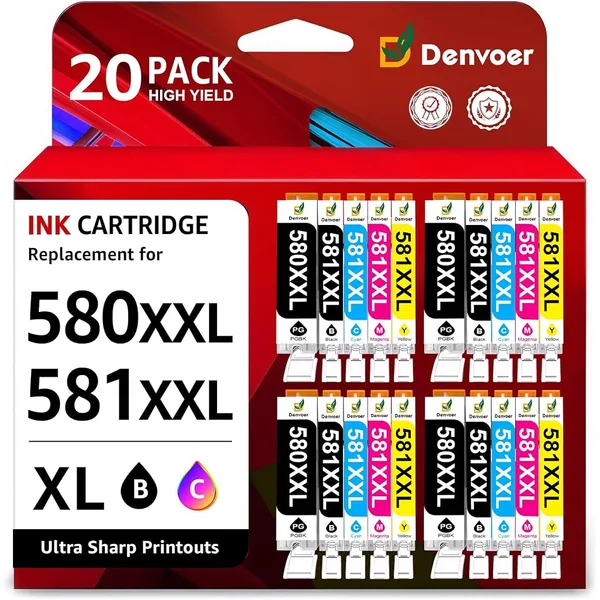
Denvoer PGI-580XXL / CLI-581XXL Ink Cartridges
For Canon20-pack

Denvoer PGI-580XXL / CLI-581XXL Ink Cartridges

4.686 ratings
In the box
  • 4× PGBK black
  • 4× Black
  • 4× Cyan
  • 4× Magenta
  • 4× Yellow
Page yield (5% coverage)
  • PGBK black: 600 pages
  • Black: 6,300 pages
  • Colour: 830 pages each
Fits 39 printer models

PIXMA TR TR7500, TR7550, TR8500, TR8550

PIXMA TS TS705, TS6100, TS6150, TS6151, TS6200, TS6240, TS6241, TS6250, TS6251, TS6300, TS6350, TS6350a, TS6351, TS8100, TS8150, TS8151, TS8152, TS8200, TS8240, TS8241, TS8242, TS8250, TS8251, TS8252, TS8300, TS8350, TS8351, TS8352, TS9100, TS9150, TS9155, TS9500, TS9541C, TS9550, TS9551C

Learn More →
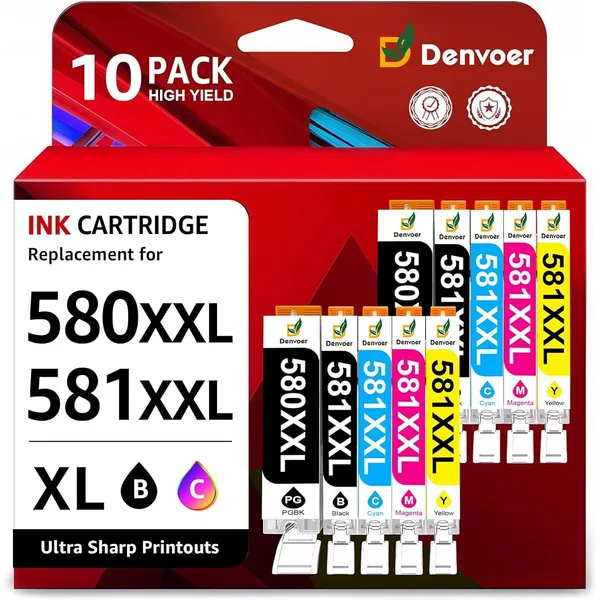
Denvoer PGI-580XXL / CLI-581XXL Ink Cartridges
For Canon10-pack

Denvoer PGI-580XXL / CLI-581XXL Ink Cartridges

4.89 ratings
In the box
  • 2× PGBK black
  • 2× Black
  • 2× Cyan
  • 2× Magenta
  • 2× Yellow
Page yield (5% coverage)
  • PGBK black: 600 pages
  • Black: 6,300 pages
  • Colour: 850 pages each
Fits 46 printer models

PIXMA TR TR7500, TR7550, TR7650, TR8500, TR8550

PIXMA TS TS700, TS705, TS705a, TS6100, TS6150, TS6151, TS6200, TS6240, TS6241, TS6250, TS6251, TS6300, TS6350, TS6350a, TS6351, TS6351a, TS8100, TS8150, TS8151, TS8152, TS8200, TS8240, TS8241, TS8242, TS8250, TS8251, TS8252, TS8350, TS8350a, TS8351, TS8351a, TS8352, TS8352a, TS9100, TS9150, TS9155, TS9500, TS9540, TS9541C, TS9550, TS9551C

Learn More →

Denvoer Ink & Toner for Brother Printers

Compatible Brother ink and toner: LC422XL. Each card lists the HL, DCP and MFC models it fits.

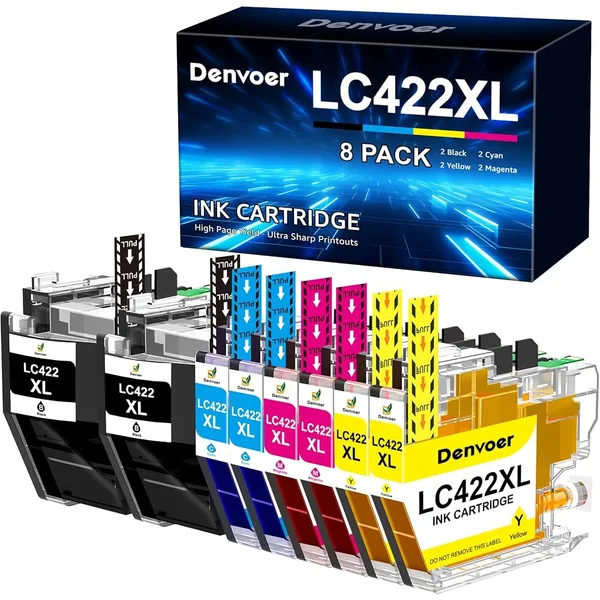
Denvoer LC422XL Ink Cartridges
For Brother8-pack

Denvoer LC422XL Ink Cartridges

5.040 ratings
In the box
  • 2× Black
  • 2× Cyan
  • 2× Magenta
  • 2× Yellow
Page yield (5% coverage)
  • Black: 3,000 pages
  • Colour: 1,500 pages each
Fits 5 printer models

MFC MFC-J5340DW, MFC-J5345DW, MFC-J5740DW, MFC-J6540DW, MFC-J6940DW

Learn More →

Denvoer Cartridge Chart

Every Denvoer pack in this country at a glance: cartridge number, printer brand, contents and page yield per cartridge.

CartridgePrinter brandTypeContentsBlack yieldColour yield
27XLEpsonInk cartridges6× Black, 3× Cyan, 3× Magenta, 3× Yellow2,200 pages1,050 pages
405XLEpsonInk cartridges4× Black, 2× Cyan, 2× Magenta, 2× Yellow1,100 pages1,100 pages
T1295EpsonInk cartridges6× Black, 3× Cyan, 3× Magenta, 3× Yellow600 pages400 pages
604XLEpsonInk cartridges4× Black, 2× Cyan, 2× Magenta, 2× Yellow600 pages400 pages
31 / 32XLHPInk bottles1× Black, 1× Cyan, 1× Magenta, 1× Yellow9,500 pages9,000 pages
207A / 207XHPToner1× Black, 1× Cyan, 1× Magenta, 1× Yellow1,350 pages1,250 pages
117AHPToner1× Black, 1× Cyan, 1× Magenta, 1× Yellow1,000 pages700 pages
PG-545XLCanonInk cartridges2× Black400 pages–
PGI-580XXL / CLI-581XXLCanonInk cartridges4× PGBK black, 4× Black, 4× Cyan, 4× Magenta, 4× Yellow6,300 pages830 pages
PGI-580XXL / CLI-581XXLCanonInk cartridges2× PGBK black, 2× Black, 2× Cyan, 2× Magenta, 2× Yellow6,300 pages850 pages
LC422XLBrotherInk cartridges2× Black, 2× Cyan, 2× Magenta, 2× Yellow3,000 pages1,500 pages

How Denvoer Cartridges Are Made

The details that decide whether a compatible cartridge works well in your printer.

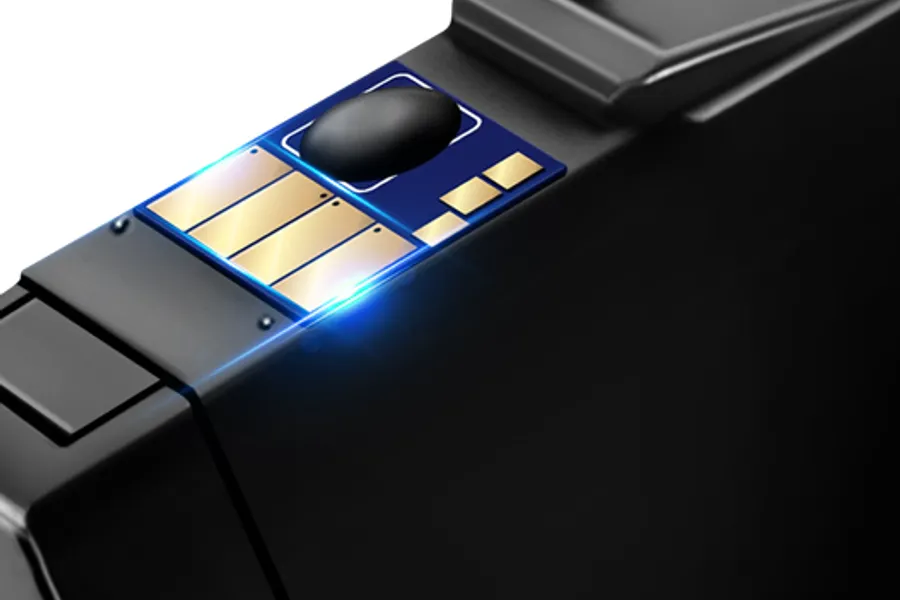
Close-up of the chip on a Denvoer ink cartridge

A fitted chip for quick recognition

Every Denvoer cartridge carries its own chip. The printer recognises it after insertion and shows ink or toner levels as it would with an original. Some toners use recycled original chips, which are not affected by firmware updates.

Laboratory testing of ink samples

Batch-tested ink

Denvoer runs batch printing tests with different colours, paper types and print modes. The ink passes through multi-layer micron filtration to keep the flow smooth and the print head clear.

Colour photo prints of flowers made with Denvoer ink

Sharp text and photo colour

Black prints crisp, smudge-resistant text for documents, and the colour inks are tuned for charts and photos. The 580/581 packs pair a pigment PGBK black for text with a dye black for photo prints.

Warehouse with packed printer supplies

Packed to arrive leak-free

Cartridges are individually sealed with protective clips or tape, and toners ship in dual-layer padded boxes. Remove the tape only just before installing, so the ink stays fresh.

How to Install Denvoer Cartridges

The same steps work for most Denvoer packs, based on the installation notes in the product listings.

Check the cartridge number

Compare the number on your old cartridge, or the printer model on the front of the printer, with the list on the card above before you open the pack.

Unpack just before use

Take one cartridge out of its sealed bag at a time. Shake toner cartridges gently side to side 3 to 5 times to spread the powder.

Remove the protective parts

Pull off the clip, tape or orange cover. Leave the transparent film on the chip in place if the note says so, and never touch the chip contacts.

Insert into the matching slot

Push each cartridge into the slot of the same colour until it clicks. Toner cartridges slide into the drum unit or printer until they lock.

Close and wait

Close the cover and give the printer a moment to read the chips. If a cartridge is not detected, take it out, wipe the chip with a dry cloth and reinsert it.

Confirm the message

Many printers report a non-genuine cartridge. Press OK, Yes or Next on the printer or computer and printing continues normally.

HP toner: snooze the reminder

On HP Color LaserJet models with 207A toner, a 'Cartridge low' notice can appear. Choose Snooze and select 2 months to hide it.

Ink bottles: fill one colour at a time

For HP Smart Tank, open the bottle, line up the nozzle with the tank of the same colour and let it fill by itself. Use the supplied gloves to keep your hands clean.

Tip: printers can block compatible chips after a firmware update. If your printer offers automatic firmware updates, check its settings before installing.

What Buyers Say About Denvoer

Excerpts from customer reviews on Amazon.co.uk, shown in the original language.

★★★★★

Excellent quality, good price.

“Good quality cartridges, perfect for all types of printing, photographs printed very well, clear and good quality colour. Easy to install. I would certainly recommend them and will be buying again.”
Denvoer 405XL
Amazon CustomerAmazon.co.uk · 1 September 2025
★★★★★

The ones to try!

“So far so good. I’ve tried many brands over the years with endless problems (compatability/wrong colour/clogging) but so far these seem brilliant-they even managed to unclog my printer head. Very pleased.”
Denvoer 27XL
Madmart54Amazon.co.uk · 1 September 2026
★★★★★

Great value for money highly recommend

“Brilliant item , instalation simple and printer accepted cartridges as originals and they work perfectly colours are spot on , great value for money , would highly recommend and will certainly purchase again”
Denvoer PGI-580XXL / CLI-581XXL
M kingAmazon.co.uk · 10 July 2026
★★★★★

Great quality and value for money

“Very reliable and great value for money. These are a very good alternative to original cartridges for a fraction of the cost and the print quality is virtually the same. Will be buying again when these run out.”
Denvoer T1295
daz_green17Amazon.co.uk · 28 April 2026
★★★★★

Great purchase

“Really happy with this cartridge. Good quality, works perfectly and was easy to install. Great value for money and would definitely buy again! ⭐️⭐️⭐️⭐️⭐️”
Denvoer LC422XL
MkAmazon.co.uk · 10 August 2026
★★★★★

Great inks

“Bought these instead of the og epson inks as it’s much cheaper. I’ve had no issues with the ink and works as normal. Being used on company printer”
Denvoer 604XL
ADPAmazon.co.uk · 18 August 2026
★★★★★

Just like the originals

“I print text and simple charts.These cartridges print just like the originals from Canon.Put them in and off you go.Good price for good quality”
Denvoer PGI-580XXL / CLI-581XXL
parametrAmazon.co.uk · 31 August 2026
★★★★★

Good Quality Product

“Excellent purchase - prompt delivery and very good quality product.Print quality very good and comparable to genuine cartgridges.”
Denvoer 207A / 207X
Ian DawsonAmazon.co.uk · 16 July 2026

Denvoer Cartridges: Frequently Asked Questions

Are Denvoer cartridges original Epson, HP, Canon or Brother cartridges?

No. Denvoer makes compatible cartridges that replace a specific original cartridge number. They are sold under the Denvoer brand and are not made or endorsed by the printer manufacturers. Packs marked Remanufactured reuse a recycled original shell.

How do I find the right Denvoer cartridge for my printer?

Type your printer model, for example XP-2200, TS3150 or MFC-J5340DW, into the search box. Every card lists the printer models it fits under 'Fits … printer models'. You can also search by the number printed on your old cartridge, such as 405XL or TN248.

Why does my printer say the cartridge is not genuine?

Printers detect that the chip is not from the original maker. This is normal for compatible cartridges and does not affect printing. Press OK, Yes or Next on the printer or computer to continue.

Will the printer show the ink or toner level?

Yes. Denvoer cartridges have chips that report fill levels. With some HP toners the recycled chip can show 'Cartridge low' early; choose Snooze and 2 months to hide the notice.

How many pages does a Denvoer cartridge print?

It depends on the pack. Examples at 5% coverage on A4: 27XL: 2,200 pages per black, 31 / 32XL: 9,500 pages per black, PGI-580XXL / CLI-581XXL: 6,300 pages per black, LC422XL: 3,000 pages per black. Every card on this page shows the yield for each colour.

What is in a Denvoer multipack?

Most packs include extra black cartridges because black runs out first. The 10-packs hold 4 black, 2 cyan, 2 magenta and 2 yellow, the 15-packs 6 black and 3 of each colour, and the Canon 580/581 20-pack holds 4 of each of its five colours.

What should I do if the printer does not recognise a cartridge?

Take the cartridge out, check that all tape and covers are removed, wipe the chip gently with a dry cloth and push it back in until it clicks. If it is still not detected, contact the Denvoer seller through Amazon, as the listings offer seller support for installation questions.

Can I use Denvoer bottles in any HP printer?

No. The 31/32XL bottles are for HP Smart Tank and Smart Tank Plus printers with refillable tanks. HP cartridge printers such as ENVY or OfficeJet need cartridges with the matching number.

Where can I buy Denvoer cartridges?

Denvoer sells through Amazon. The Learn More buttons on this page open the Amazon listing for your country, where you can see current availability and delivery times.

Do I need to move the chip from my old toner or cartridge?

No. Denvoer cartridges and toners come with a chip already fitted. Remove only the protective tape, clip or cover, and keep your fingers off the chip contacts when you install them.